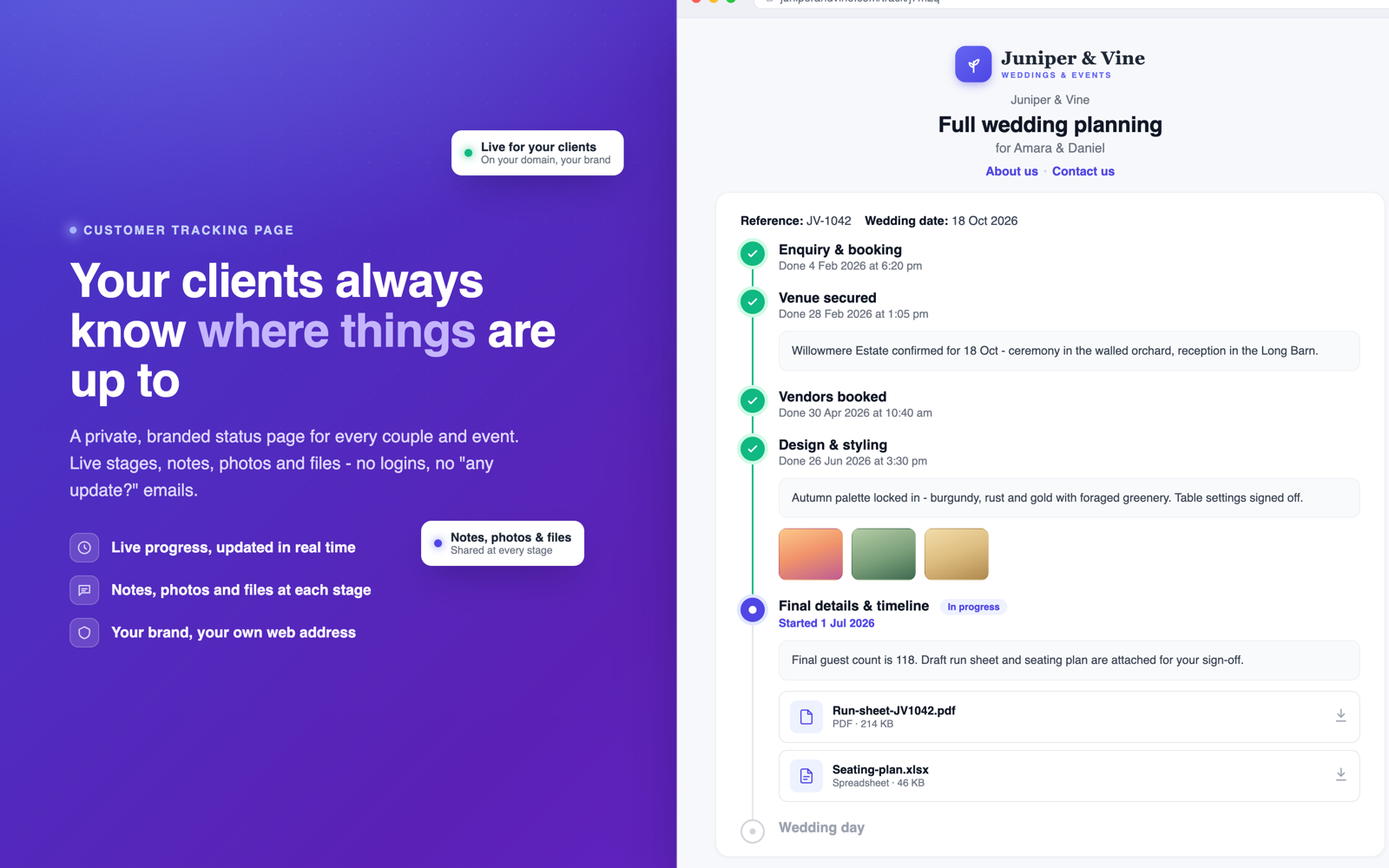
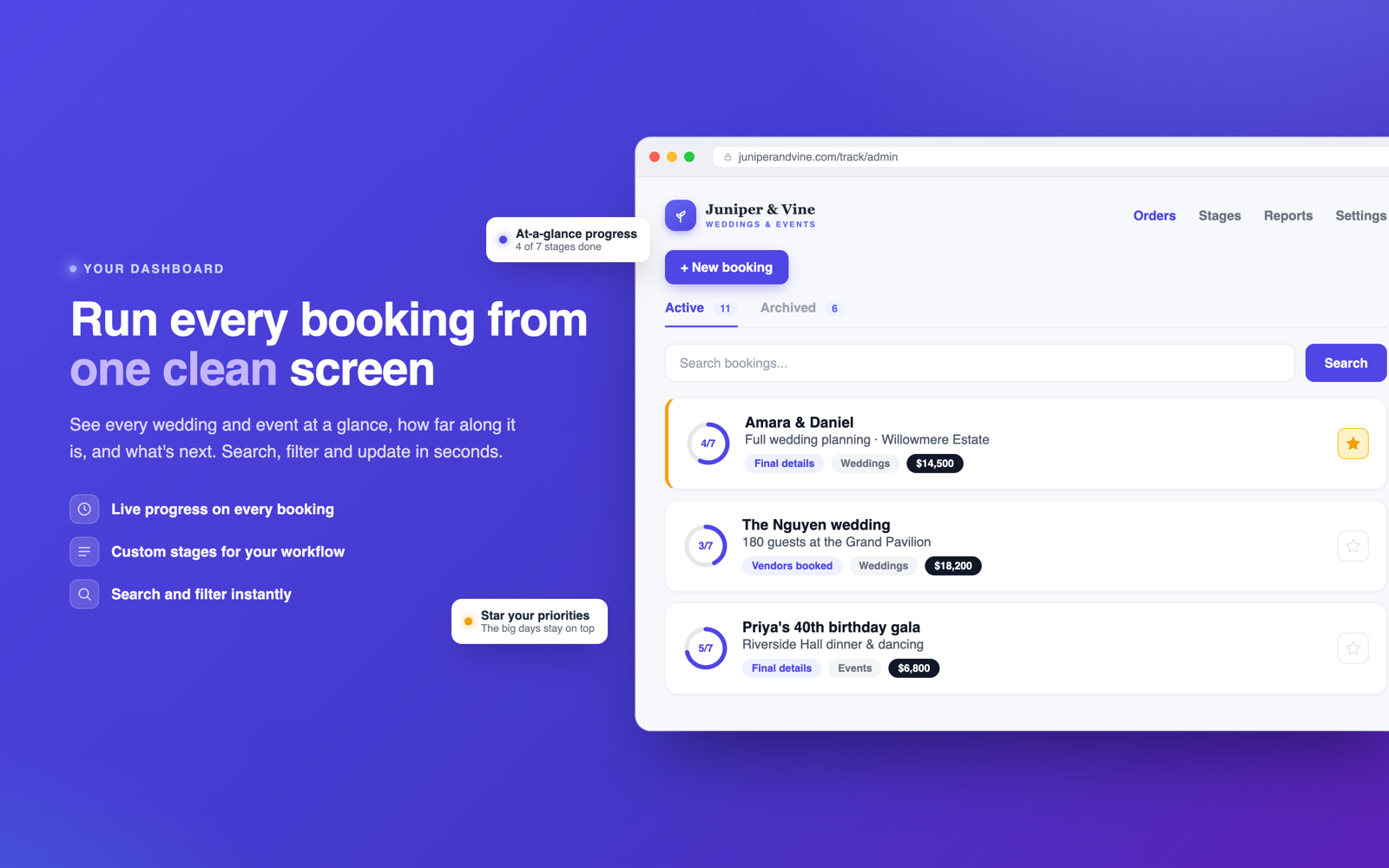
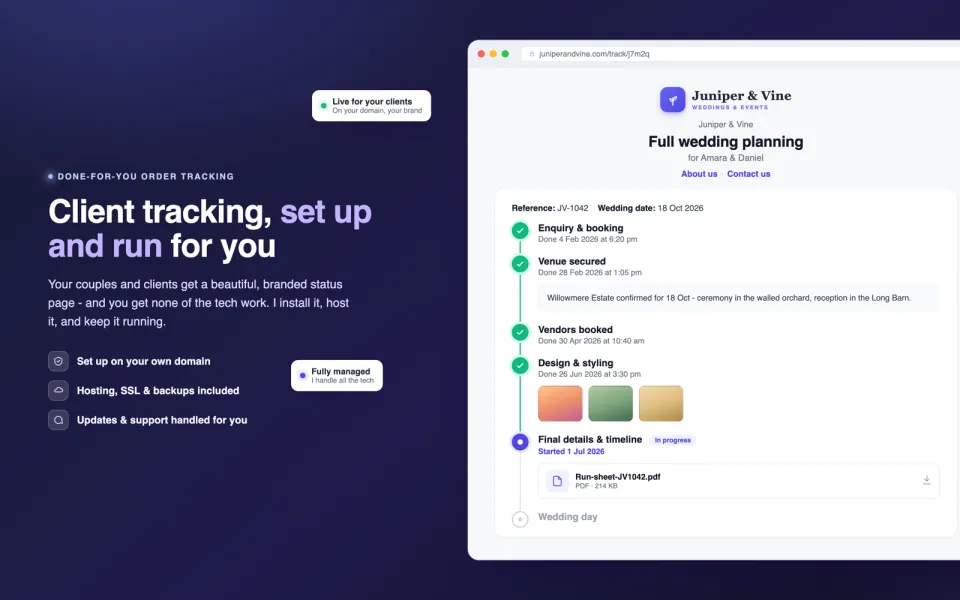
OnTrack gives your business its own order tracking page. Every job gets a private link you send to your customer. They open it and see exactly where their order is up to, complete with dates, notes and progress photos, under your logo and your business name. No more "just checking in" phone calls. No more writing the same update email five times a day.
Not technical? I'll set it up and run it for you.
If words like "hosting" and "upload" aren't your thing, no problem. With OnTrack Fully Managed I handle the whole lot on a simple monthly subscription: register a domain for you (like jamescustomshop.com), set up hosting, install and configure OnTrack, connect it to your domain, and keep it running. You just use it - from $29 a month, cancel anytime.
Stop being your own status hotline
If you build, fix, print, bake or restore things for customers, you already know how this goes. The deposit lands, the work starts, and then the messages begin. "Hey, just wondering how the table is coming along?" "Any news on my order?" Each one is a nice customer asking a fair question, and each one pulls you off the tools to type the same answer you typed yesterday.
Big companies solved this years ago. Order a parcel and you get a tracking link. OnTrack gives your business the same thing, for work that actually takes weeks: custom furniture, vehicle repairs, signage, cakes, alterations, print runs, renovations. You update the stage as you go, and everyone who wants to know where things stand can see it without calling you.
How it works
Create an order. Type the customer's name and what you're making for them. Takes under a minute.
Send them their private link. One tap to copy, then paste it into a text or email. That link is theirs alone.
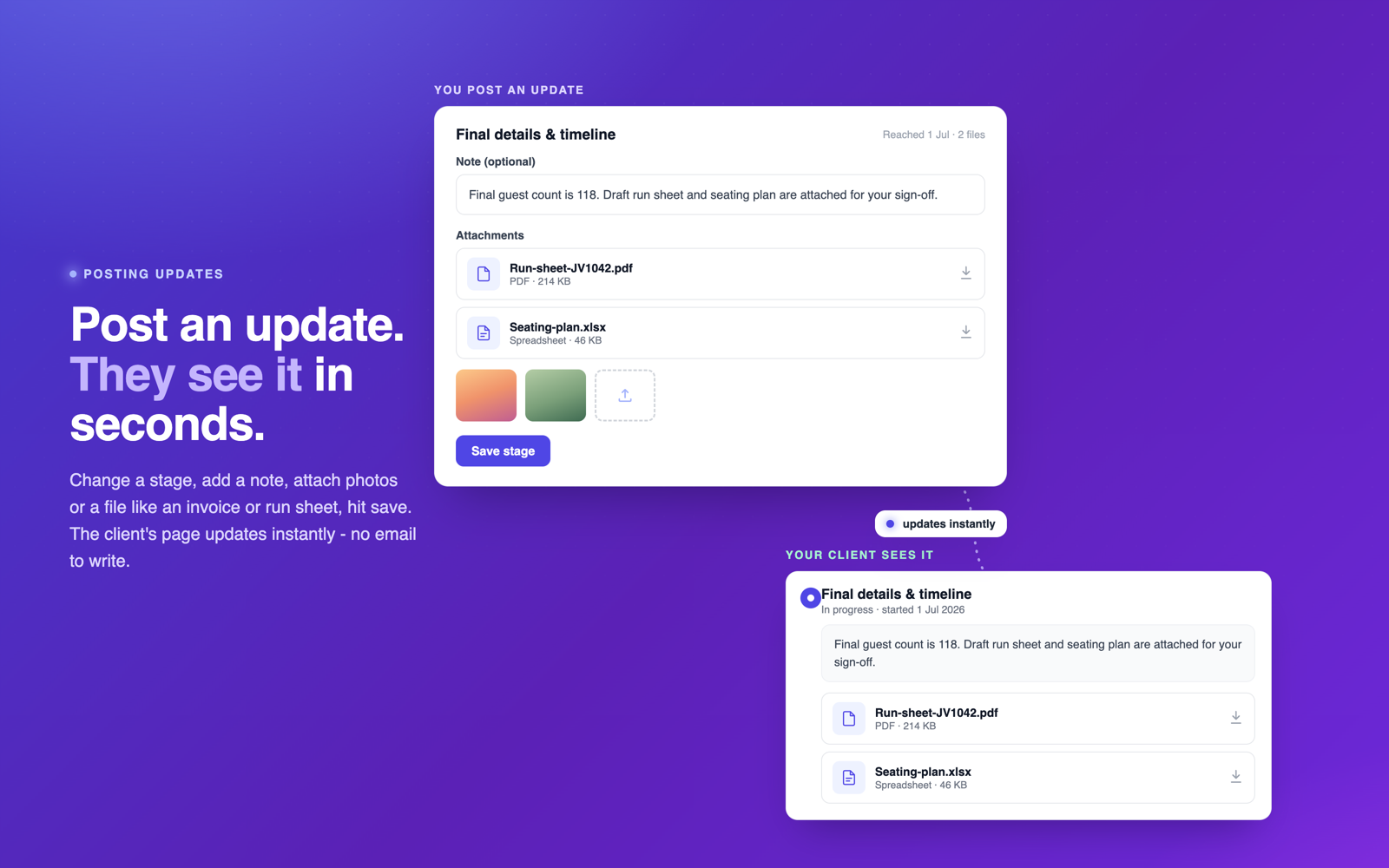
Tick off stages as you work. "Timber selected", "Cutting & joinery", "Ready for delivery" - whatever stages fit your work. Add a note or a quick photo if you like. Their page updates the moment you do.
That photo part matters more than you'd think. A two-line note with a picture of their half-built cabinet does more for customer confidence than any polished email. It says: your job is on the bench right now.
Your workflow, not someone else's
Every business moves work through different steps, so OnTrack lets you define your own. Create a stage group for each kind of work you do - say, one for new builds and one for repairs - each with its own ordered stages. When you create an order you pick which workflow it follows. Rename stages, reorder them, add new groups any time. Nothing is hard-coded.
Guided setup, and updates that can't break your site
The first time you open OnTrack it walks you through a friendly setup wizard - it checks your PHP version, folder permissions and a few security basics in plain English, and tells you exactly how to fix anything that isn't quite right. Green ticks all the way down, and you're ready.
After that, staying up to date is the safest part of owning it. OnTrack quietly checks for new versions in the background, but it never installs anything behind your back. When an update is ready you see the full changelog first and decide when to click Update. Behind that one click sits a proper, professional process: a complete backup is taken automatically, the download is checksum- and signature-verified before a single file is touched, and if anything ever looks wrong it restores the version you were just on. You are never left with a half-updated site - and if you ever want to step back, one-click rollback takes you there.
A commercial-grade update experience, built in
A friendly first-run setup wizard with plain-English checks
Simple licensing - activate with one key in seconds
Automatic update checking that never installs on its own
The full changelog to review before you update
A guided update wizard with live, step-by-step progress
An automatic full backup before every single update
One-click rollback to any previous version
Downloads that are digitally signed and checksum-verified
A "What's New" summary after each update
Built-in diagnostics whenever you want a health check
The whole system is one file
This is the part that surprises people. OnTrack is a single PHP file. Not a folder of frameworks, not an installer wizard, not a database server. One file.
Installing means uploading that file to any web hosting account, including the cheap shared hosting you might already have for your website.
There is no database to set up. Your orders live in a simple data file that OnTrack creates by itself.
Backing up means copying two things: the data file and the uploads folder. There's a one-click backup and restore tool built in, too.
Moving hosts means copying those same files somewhere else. Your whole system is genuinely portable.
Because there's so little machinery, it's fast, it's easy on cheap hosting, and there's very little that can break at 9pm on a Sunday.
Own it. Don't rent it.
Most order tracking tools are subscriptions. Thirty, fifty, sometimes ninety dollars a month, every month, forever. Miss a payment and your tracking pages go dark. Their server has a bad day and so does your business. And your customer data lives on someone else's computer, under someone else's terms.
OnTrack is $49. Once.
OnTrack
Typical SaaS tracker
Cost
$49 once
$30 to $90 every month
After 2 years
Still $49
$720 to $2,160 and counting
Your data lives
On your own hosting
On their servers
If the company disappears
Nothing changes
You lose everything
Customer limits
None
Priced by "seats" and volume
Monthly invoice
Never
Forever
When you buy OnTrack you own your copy of the software. Host it yourself, keep your data on your own account, and never think about a renewal date. If I ever stopped selling it tomorrow, your copy would keep working exactly as it does today.
Looks proper on a phone, because that's where everyone is
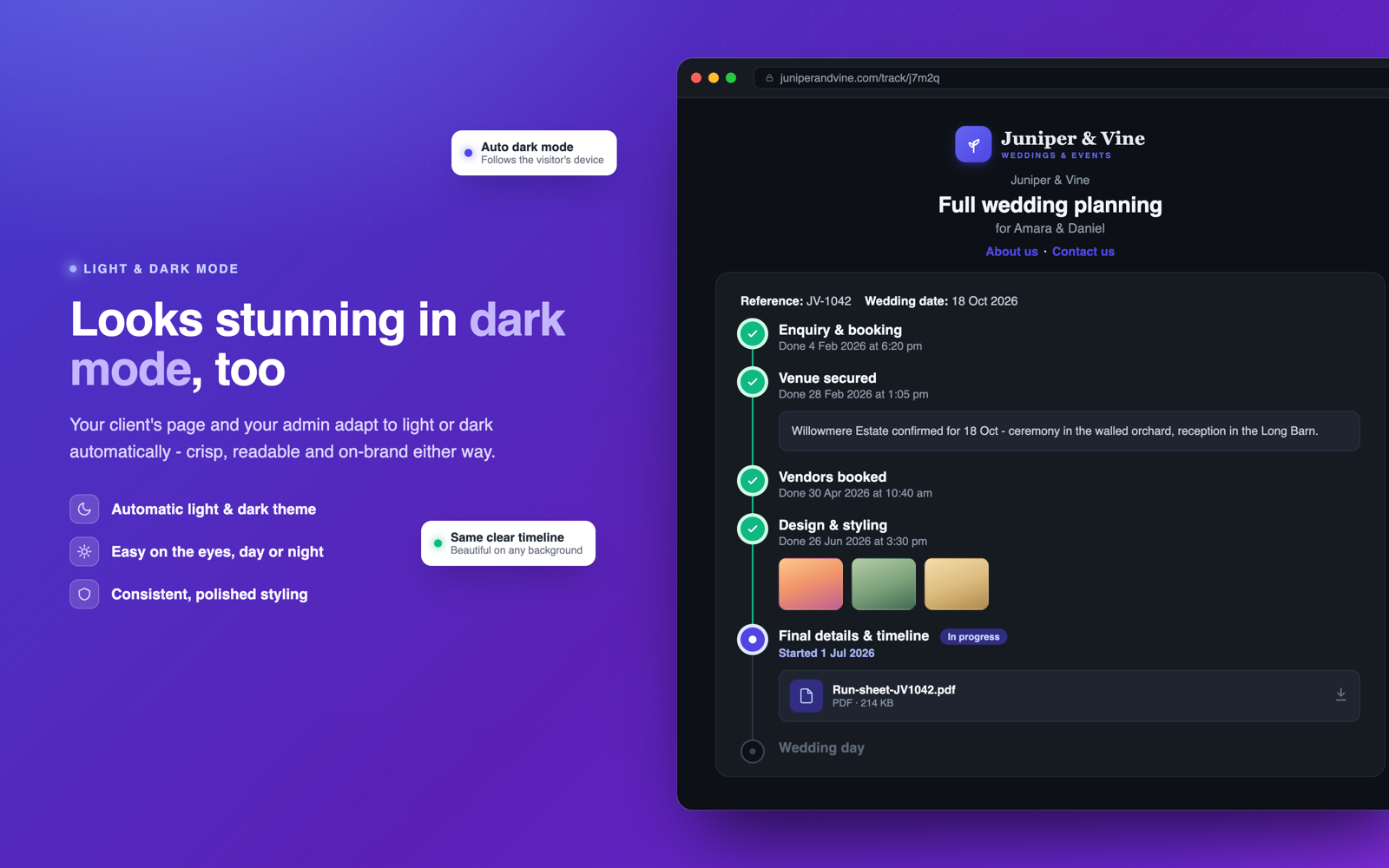
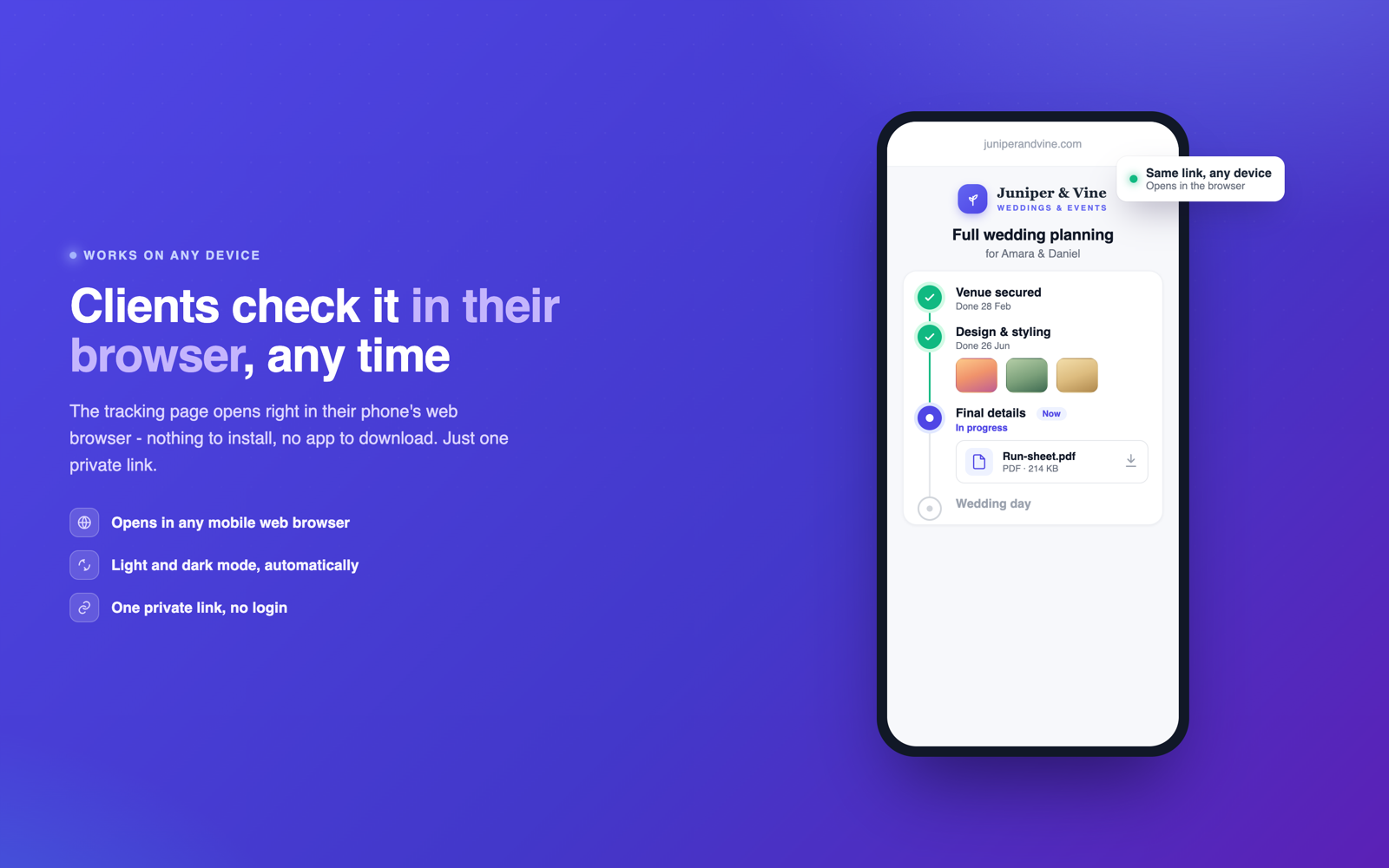
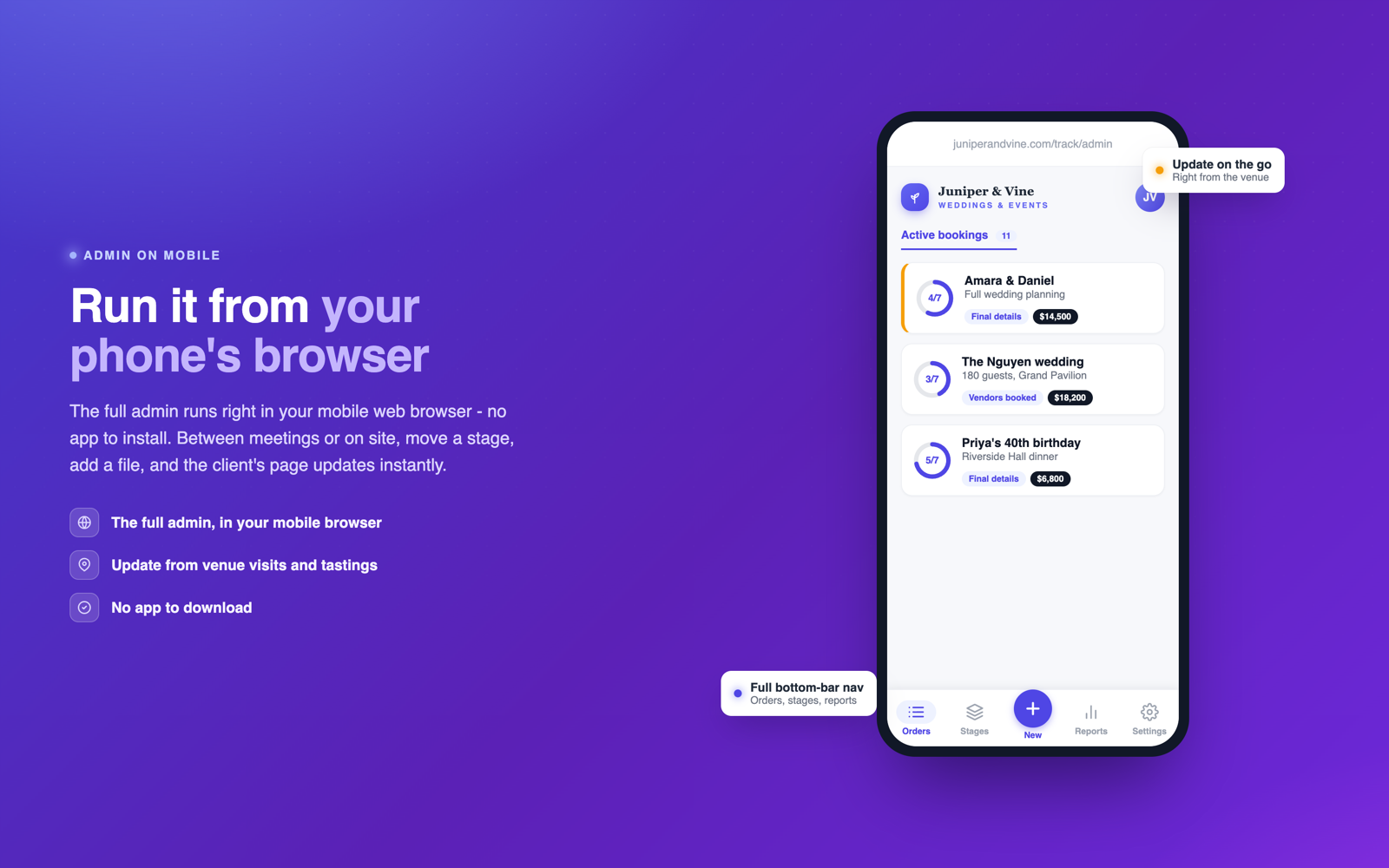
Your customers will open their tracking link on a phone, and odds are you'll be updating orders from the workshop floor on yours. OnTrack was designed phone-first: big touch targets, a bottom tab bar in the admin so everything is reachable with a thumb, and a tracking page that reads beautifully on a small screen. There's a light theme, a dark theme, and an automatic mode that follows the customer's phone.
See your whole business at a glance
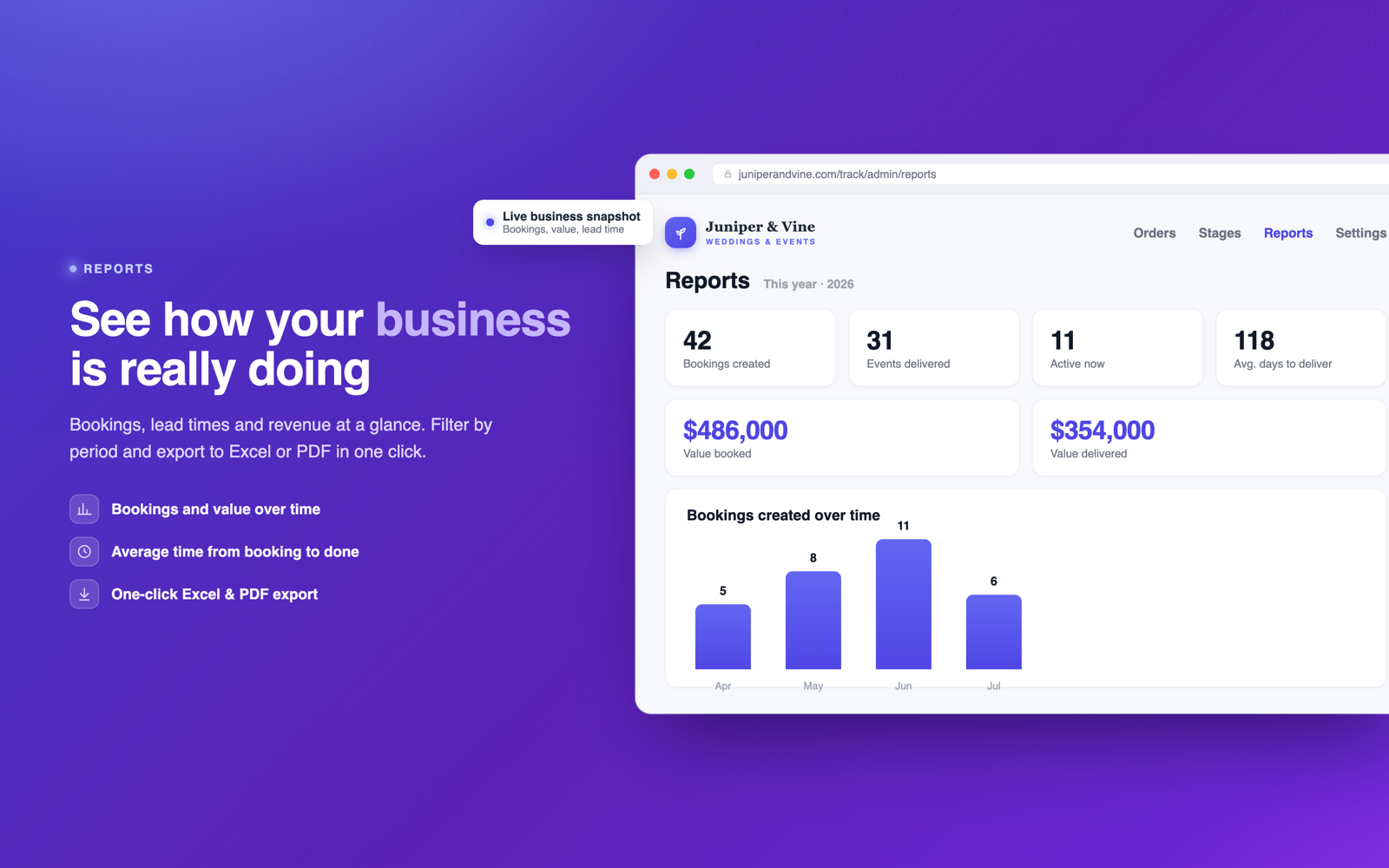
The built-in reports show how many orders came in, how many you finished, the total value of that work and how long jobs actually take, for any period you pick. When your accountant or your own curiosity wants the detail, export the lot to a real Excel spreadsheet or a tidy PDF with one click.
Sensible security, built in
The admin area sits behind your password. Each customer link uses a private code, and a customer can only ever see their own order - there are no lists, no browsing, no way to stumble into someone else's job. Uploads are checked before they're accepted, and every save is written safely so a mid-save hiccup can't corrupt your data.
What you need
Any web hosting account that runs PHP (version 7.4 or newer, which covers practically every host today). That's the entire requirements list. No database, no special modules, no command line. If your hosting can run WordPress, it can run OnTrack with room to spare.
The done-for-you option, spelled out
Plenty of OnTrack owners never touch a single technical thing, because I do it for them. With the OnTrack Fully Managed plan, I:
Help you choose and register a domain name (for example jamescustomshop.com) through Dynadot
Set up reliable, affordable web hosting
Install and configure OnTrack with your logo, stages and time zone
Connect everything to your own domain
Keep the application updated as new versions come out
Maintain the site so you never have to worry about it
No coding knowledge required at any point. You get a working tracking system at your own web address, and I stay on hand as your technical guy. It's a simple subscription: OnTrack Fully Managed, from $29 a month with the domain, hosting, setup and software all included. Prefer to ask something first? Get in touch.
Questions before you buy? The FAQ below covers most things, and the contact page reaches me directly for anything else. I read and answer everything myself.
Try it right here
The real application, running on real files. Nothing to sign up for, and nothing you can break that a
Reset will not fix.
The demo is fully unlocked. Outgoing email, restore points and software updates are switched off in it - everything else is the product exactly as you would run it.
What's included
One PHP file - upload it and you're live
No database and no installation wizard
Private tracking link for every order
Unlimited orders and customers
Your own stages and multiple workflows
Notes, photos, videos and files on every stage
Optional email alerts when a stage advances
Your logo and business name on every page
Reports with one-click Excel and PDF export
One-click backup and restore
Light mode, dark mode and auto
Pay once, own it forever - no subscription
Frequently asked questions
What exactly is OnTrack?
OnTrack is a small web application that gives your business its own order tracking system. You create an order, send your customer a private link, and they can watch the job move through your stages - with dates, notes and photos - on a page carrying your logo and business name.
It is a single PHP file you upload to your own web hosting. There is nothing to install and no database to set up.
Who is it for?
Any business that makes, fixes or customises things and gets asked "how's my order going?" - furniture makers, print shops, mechanics, sign writers, cake makers, tailors, builders, detailers, repair shops, small manufacturers, agencies and freelancers. If your jobs take days or weeks and customers like to know what's happening, OnTrack fits.
Do I need to be technical to use it?
No. If you can attach a file to an email, you can install OnTrack: edit one line to set your password, upload one file to your hosting, done. Day-to-day use is even simpler - it's just tapping a stage when work progresses.
And if you'd rather not touch any of it, there's OnTrack Fully Managed - a subscription from $29 a month where I register your domain, set up hosting, install everything and keep it running for you. You'll find it in the store.
What are the hosting requirements?
Any web hosting account that runs PHP 7.4 or newer - which is practically every hosting company today, including the cheapest shared hosting plans. If your host can run WordPress, it can run OnTrack easily. No database, no special extensions, no command line access needed.
How does the installation actually work?
1. Open order.php in any text editor and set your admin password (one line near the top).
2. Upload the file to your hosting using your host's file manager or FTP.
3. Make the folder writable (a permissions setting in your host's file manager - the included guide walks you through it).
4. Open the file in your browser and log in.
OnTrack creates its own data file and uploads folder on first run. Most people are done in five minutes.
Where is my data stored if there's no database?
In a single JSON data file that sits next to the application on your own hosting, plus an uploads folder for photos. That's the whole system. It makes OnTrack extremely portable: copy those files and you've moved or backed up your entire tracking system.
Every save is written atomically (written to a temporary file first, then swapped in), so an interrupted save can't corrupt your data.
Is it secure?
The admin area is protected by your password, with the standard protections you'd expect: secure session handling, CSRF tokens on every action, and all output properly escaped. Customer links use private codes, and each customer can only ever see their own order - there is no list or directory to browse. Uploads are validated by type and size before they're accepted, and files are stored under server-generated names.
Can my customers see each other's orders?
No. Each order has its own private link and that link shows that order only. There is no public list of orders anywhere. If someone doesn't have the link, they can't see the job.
Does it work on phones?
It was designed on a phone screen first. The customer tracking page reads beautifully on mobile, and the admin has a bottom tab bar, large touch targets and photo uploads straight from your camera roll - most owners run their whole day from a phone in the workshop. Desktop gets the same interface with more room.
Can I customise the stages to my business?
Completely. You define your own stage groups - one workflow per type of work you do (say "New builds" and "Repairs") - each with its own ordered list of stages. Rename, reorder, add or remove stages at any time. Each order follows whichever workflow you pick when creating it.
Can I put my own branding on it?
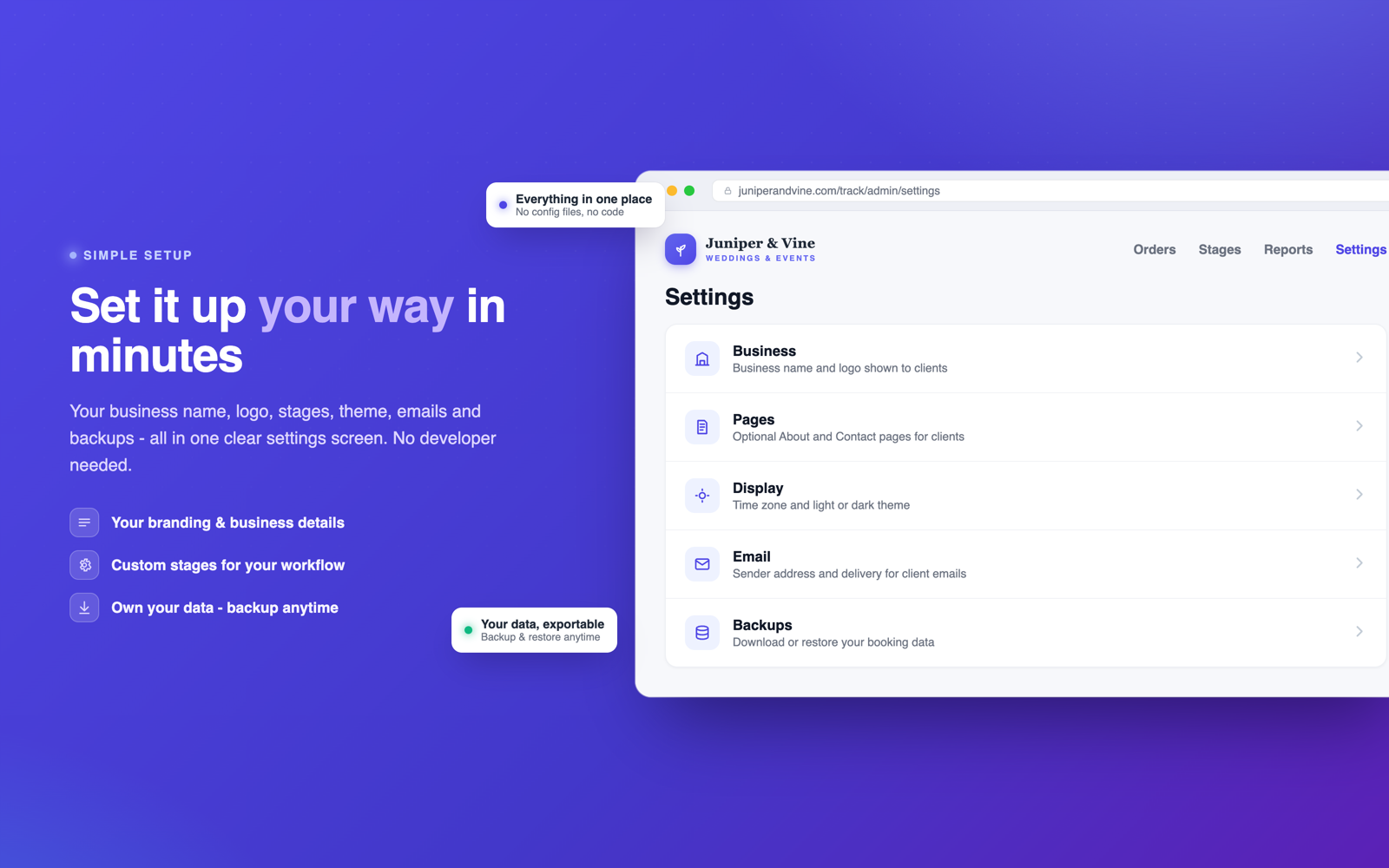
Yes. Upload your logo and set your business name in Settings, and both appear on every customer page, the login screen and the admin bar. You can also add optional About and Contact pages for your customers, choose light or dark theme, and set your time zone and currency symbol.
How do the email notifications work?
They're optional and off by default. Turn them on for an order (with the customer's permission) and OnTrack emails the customer when you advance a stage. It can send through your host's built-in mail or through any SMTP service for better deliverability - there's a "send test email" button so you can check your setup. The tracking link always remains the primary way customers stay informed.
What about backups?
Two options. The built-in Backups tool creates a snapshot with one click, lets you download it, and can restore any snapshot later (a safety backup is taken automatically before every restore). Or do it manually: copy the data file and the uploads folder anywhere - that is a complete backup of your whole system.
What do I get when I buy, and what's the license?
You get an instant download containing the application file and a plain-English quick start guide. Your license covers one installation for your business, and it's yours permanently - you own your copy, host it on your own account, and it keeps working whether or not I'm around. No subscription, no activation server, no expiry. Running tracking systems for two separate businesses? Just buy a copy for each.
Do I get updates?
Yes - updates within the current major version (the 2.x line) are free. When an update comes out, you download the new file and replace the old one; your data file and photos are untouched, and any older data is migrated automatically. I've been updating OnTrack steadily since March 2025 - the changelog below shows the pace.
Can I customise the code itself?
If you're comfortable with PHP, absolutely - it's one well-organised, heavily commented file with a small "EDIT ME" configuration block at the top, and you own your copy. That said, everything a typical business needs (branding, stages, pages, themes, email) is configurable from the Settings screen without touching code.
What if something goes wrong or orders stop saving?
Ninety-nine percent of the time this is a folder permissions setting, and OnTrack tells you exactly that instead of failing silently - with instructions for the fix (a one-minute change in your host's file manager). The quick start guide covers it too. And if you're stuck, contact me through the site and I'll point you in the right direction.
What does the done-for-you service include?
Everything between you and a working tracking system: registering a domain name in your name, setting up hosting with SSL and backups, installing and configuring OnTrack with your logo and stages, connecting it to your domain, and maintaining the site over time. You never touch anything technical.
It used to be a custom quote, but it's now a simple subscription: OnTrack Fully Managed, from $29 a month, with the software and every new OnTrack release included. You'll find it in the store next to this one.
I have a question that isn't answered here.
Ask away - the contact page reaches me directly and I answer everything myself, usually within a day. I'd much rather you ask before buying than guess.
Changelog
v2.5.0
LatestJul 10, 2026
Major release: a first-run setup wizard, a licensing screen, automatic (never forced) update checking, a guided update wizard with changelog preview, automatic backups before every update, and one-click rollback to any previous version. Updates are digitally signed and checksum-verified.
v2.4.1
Jun 28, 2026
Quality-of-life release. Progress rings on every order card, tidier action menus, and Back buttons that return you to the exact page and scroll position you came from. Assorted small fixes.
v2.4.0
May 19, 2026
SMTP email delivery with a send-test button (much better deliverability than plain host mail). New optional About and Contact pages for your customers. Priority stars to pin important orders to the top. Settings reorganised into a cleaner sectioned layout.
v2.3.1
Apr 7, 2026
One-click backups: create snapshots, download them, and restore with an automatic safety backup taken first. Clearer error messages when a hosting folder isn't writable.
v2.3.0
Mar 10, 2026
Reports. See orders created and completed, total order value and average days to finish for any period, with an activity chart and a breakdown per workflow. Export any report to Excel or PDF with one click. Orders can now carry a price.
v2.2.1
Feb 21, 2026
Security hardening pass: stricter upload validation, tightened session handling and safer file serving. A handful of small bug fixes.
v2.2.0
Feb 3, 2026
Stage updates now accept videos and files as well as photos. Videos play right on the customer's page; files become tidy download cards. Per-type size limits keep things sensible on shared hosting.
v2.1.0
Dec 9, 2025
Dark mode - light, dark, or automatically follow the customer's device. Success and error messages became unobtrusive toast notifications. Faster page swaps throughout the admin (no full page reloads).
v2.0.0
Oct 14, 2025
The big one: multiple workflows. Define separate stage groups for each kind of work you do, each with its own stages - existing single-workflow data migrates automatically. Redesigned order cards, and a native-app-style bottom tab bar on phones.
v1.5.0
Sep 2, 2025
Optional email notifications: OnTrack can email your customer when you advance their order to the next stage. Off by default, per-order opt-in.
v1.4.0
Aug 5, 2025
Mobile polish release: bigger touch targets everywhere, a sticky header, fixed date fields on iPhones, and a mobile-first rebuild of the trickier admin screens.
v1.3.0
Jul 1, 2025
Per-stage notes and photo galleries. Post an update with pictures on any stage and it appears on the customer's page under that step, with a proper zoomable viewer.
v1.2.0
May 20, 2025
Search and filters for the order list (by text, workflow and date range), pagination for busy shops, and an Active / Archived split.
v1.1.0
Apr 15, 2025
Business branding: upload your logo and it appears on customer pages, the login screen and the admin bar. Time zone setting so dates always read right. Shorter, easier-to-type customer link codes.
v1.0.0
Mar 11, 2025
First public release. Orders, custom stages, private customer tracking links, notes and history - all in one PHP file with JSON storage.
Your own order tracking website without touching anything technical. I register your domain, set up hosting, install OnTrack with your branding and keep it all running, updates included. From $29 a month, cancel anytime, and everything stays yours.